About Nudge Education Online
Is Nudge Education Online a registered school?
At launch in September 2026, Nudge Education Online is an online alternative provision. We are preparing our application for accreditation under the DfE's Online Education Accreditation Scheme (OEAS), the voluntary Ofsted-assessed route to be recognised by the DfE as an online school. That application can only be made once we are operating — so the pathway is: launch as AP, build the evidence base, then apply.
What is the voluntary Ofsted accreditation scheme, and why are you pursuing it?
In 2021 the Department for Education launched a voluntary accreditation scheme for online schools, recognising that online schools are something distinct from tuition agencies or online businesses — they are schools, with the same standards as physical schools in every meaningful way (apart from things like toilets and fire escapes). The scheme is the regulatory route an online school takes if it wants to be recognised by the DfE as a young person's full-time school option.
We are pursuing accreditation because we want to evidence that we keep young people safe and hold the same aspirations for them as any registered school. The pathway requires us to launch and be operational first — Ofsted can't accredit a school that isn't running yet — which is why we open in September 2026 as an online alternative provision and apply for accreditation from there.
Are Nudge Education and Nudge Education Online the same thing?
They share a parent organisation — Nudge Education Ltd — and the same ten years of practice, but they are deliberately separate services. Nudge Education's existing work is one-to-one, face-to-face alternative provision delivered by practitioners in young people's homes and communities. Nudge Education Online is a structured online school provision with qualified subject-specialist teachers, a full timetable, and its own admissions process.
If a young person is already working with a Nudge Education practitioner face-to-face, they are not automatically enrolled in Nudge Education Online — joining NEO is a separate application and a separate commissioned placement. The two services can run alongside each other where that's the right thing for the learner, but they are commissioned, staffed and accountable separately.
What does "online alternative provision" actually mean?
Alternative provision (AP) is the sector term for education delivered outside a mainstream school, commissioned by a Local Authority or a school for young people who can't currently attend. Nudge Education Online is AP that is delivered online — wrapping a structured curriculum around Nudge Education's practitioner-led model.
Who sits behind Nudge Education Online?
Nudge Education Online is a new service from Nudge Education, the UK practitioner-led organisation that works with Local Authorities across the UK. Everything about how we work — the trust, the safeguarding, the relational approach — comes from ten years of practice with young people whose needs aren't being met in mainstream.
Admissions & starting
Do learners need an EHCP to attend?
No. Nudge Education Online can be funded through Local Authority commissioned placements or via existing frameworks. Some learners will have EHCPs, others won't — we accept both.
What is a Section 19 placement, and do you take them?
Yes — Section 19 placements are the main route into Nudge Education Online. Section 19 of the Education Act 1996 places a duty on Local Authorities to arrange suitable full-time education for children of compulsory school age who, by reason of illness, exclusion or otherwise, would not otherwise receive it. Many of the young people referred to us — particularly those experiencing emotionally based school non-attendance (EBSNA), medical needs, or transitions between settings — sit under this duty.
In practice: the Local Authority commissions the placement and remains the statutory accountable body; we deliver the education and report back on attendance, engagement and progress. Families don't navigate this alone — the referral conversation usually starts with your Local Authority's SEND, inclusion or alternative provision team, and we're happy to help you frame it.
Can Nudge Education Online be named on an EHCP?
Not at launch. The legal arrangement and statutory responsibility for a young person stays with the Local Authority and/or their school. We work closely alongside both. Once we complete the voluntary Ofsted accreditation, we expect that to change.
How quickly can a young person start?
Learners start on a Monday, and can start in any month — not only at the beginning of the academic year. The process from referral to first lesson is typically around 15–20 working days: the NEO Referral Form, an Initial Assessment (a conversation with the young person and family about how they learn, what they need and what has and hasn't worked — not a test), a written offer and induction, including setting up your child's NEO Google account and checking everything works before the first class. Direct family applications follow the same route. We move as quickly as we safely can because the young people referred to us are usually out of education — delay makes things worse, not better.
Is there a minimum or maximum placement length?
Placements are commissioned by the term or year, with flexibility to extend or transition out. The goal is always the young person's readiness — onward placement conversations start from week one, not at the end.
What is the Discovery Phase?
The Discovery Phase is for learners who aren't yet ready for a full timetable: five weeks, two 45-minute live sessions a week, deliberately low demand, with no grades and no qualification pressure. It costs £370 (plus VAT) per phase, so a family or a commissioner can find out whether online learning works for this young person before committing to a place.
It starts with a taster week — three short conversations and choosing a pathway. The learner then works on a project they choose (sharing something they're already expert in, learning something new, taking apart the rules and maths of a game or app, or building or fixing something off-screen), alongside a 'Me' strand with their mentor about how they learn best. Each week adds a page to their Learning Passport — a plain-language record of how they learn that travels with them into every subject afterwards. We also use the WHO-5 wellbeing check at the start and end.
At the end there's an honest conversation with the learner, their family, mentor and educator: a place at NEO, a second Discovery Phase with a new pathway, or a supported move to another setting. Moving on to a school that now works for the young person counts as success.
Curriculum & qualifications
What qualifications do you offer?
Learners work towards Pearson Edexcel International GCSEs (graded 9–1). Our subject offer is English Language, English Literature, Mathematics, Human Biology and Art & Design, with RSHE delivered as a statutory strand. Live lessons open subject by subject as our educator team grows — ask us what is running for your young person's stage group now. Functional Skills and ASDAN courses are also available where appropriate. Pearson Edexcel International GCSEs are linear qualifications with more than one examination series each year, giving flexibility over when a learner sits their exams. For learners who aren't yet exam-ready, we offer personalised pre-qualification pathways through our Discovery Phase. Full detail is on the curriculum page.
Are your lessons taught by qualified teachers?
Yes. Every live lesson at Nudge Education Online is delivered by qualified, subject-specialist teachers. This is distinct from the Practitioner-Mentor role — Practitioner-Mentors are the named point of contact for each learner, co-ordinating with the teaching team and providing pastoral support, but they don't teach the curriculum. The two roles work side by side, and that's deliberate: the teacher brings subject expertise, and the Practitioner-Mentor brings the relational continuity that holds a young person in the learning when things get hard.
How do you handle practical work — particularly in science?
Practical learning is one of the genuine design challenges of an online school, and we take it seriously. Pearson Edexcel International GCSEs include a practical strand that is designed to be deliverable in flexible settings, and our Head of Science is building the science curriculum with this in mind. Where appropriate, we send practical kits to learners' homes so they can carry out experiments alongside live teacher support — with safety guidance built in for both the learner and the adult supporting them. Where a practical isn't safely deliverable at home, we use high-quality demonstration, simulation, and supported observation.
The aim is equitable access to a real science education — not a watered-down version of one.
Is the science a Double Award or Biology? Our science is Pearson Edexcel International GCSE Human Biology — a single award, and a science rooted in the learner's own body. International GCSE Science Double Award is planned for a later intake as the science team grows. Some sixth forms count Human Biology as a science GCSE and some don't, so it's worth checking with the destination you have in mind.
Will the subject offer expand beyond the launch subjects?
Yes — the launch subjects (English Language, English Literature, Mathematics, Human Biology, Art & Design) are a deliberately focused starting point that lets us go through the accreditation process well, rather than spreading too thin. They form a strong core that any sixth form, college or apprenticeship destination will recognise.
We open additional subjects as we have enough learners to make a viable group — and our intensive placement route allows for some subjects to be taken in smaller groups or one-to-one where the cohort isn't yet there. We anticipate offering noticeably more subjects than the launch five over time. The registration form has space to tell us which other subjects you'd like for your young person, and we use that to plan what opens next.
Can subjects like drama and music be delivered online?
Some subjects are genuinely easier to deliver online than others, and we've been honest about that in our launch choices. Drama, music and other performance-led subjects need group work and the kind of shared physical space that an online classroom can't fully recreate. Where families and commissioners ask for these, we look at what can be done online (script work, theory, composition, devising, ensemble work over video) and what is better facilitated through local provision the young person can access in person — partner organisations, community arts settings, or visits where appropriate.
We don't pretend online does everything equally well. We do work with families to find the right combination for the young person in front of us.
Will my child need to return to their old school to sit exams?
No. Learners sit their exams as private candidates at an approved examination centre near home, through our exam-centre partnership with Tutors & Exams — never at their old school. We help choose the venue and put access arrangements in place. Learners are entered when they're ready, and can spread subjects across exam series. Exam entry fees are paid directly to the exam-centre partner and are separate from NEO fees.
For many of our learners, being asked to walk back into the school that didn't work for them in order to sit an exam would be a barrier they couldn't get past. Removing that barrier is part of how we make qualifications genuinely accessible.
How does the online delivery actually work?
Every learner has a named Practitioner-Mentor who builds the relationship and coordinates their learning. Term time, Monday to Thursday, the day opens with a mentor group at 9:30, then live 45-minute lessons on Google Meet from 10:00 with breaks between, and a check-in with the Practitioner-Mentor at 13:00 — later and shorter than most school days, deliberately. That is a 12-hour place. A 15-hour place adds Friday, Cornerstones Day — Relational Intelligence, Digital Skills, RSHE, SDG projects and creative work. Between live sessions, Google Classroom holds materials, assignments and feedback that learners work through at their own pace. The balance is adjusted to each learner's needs.
What about socialisation?
Connection is the starting point, not the add-on. The Practitioner-Mentor relationship is consistent from the first session. Group and peer elements are built in progressively as the young person is ready — we don't force it on day one.
What are the Cornerstones?
Our named pedagogical framework: Connection, Movement, Creativity, Reflection, Rest, and Nutrition. Not a list of values — a way of designing each session so that wellbeing and learning sit together, not one after the other.
How do the Cornerstones show up in my child's day?
The six Cornerstones — Connection, Movement, Creativity, Reflection, Rest and Nutrition — shape everything from the timetable structure to how lessons are delivered. Live sessions are 45 minutes with scheduled movement and rest breaks between them. The day opens with the 9:30 mentor group and closes with the 13:00 check-in. Friday is Cornerstones Day — dedicated to Relational Intelligence, Digital Skills, RSHE, SDG projects and creative work, not a day off. Your child's Practitioner-Mentor will attune to their energy and regulation throughout the day, and Cornerstone check-ins are part of every session.
For parents & learners
What platforms do you use?
We teach through Google Classroom for lessons, assignments and feedback, with live sessions on Google Meet. Every learner receives their own nudgeeducation.online Google account. The login details are sent by Google — not by us — to the parent or carer email you give us on the Referral Form, so please check your spam or junk folder, and we then arrange a time to check everything works before the first class. Timetables and due dates appear in Google Calendar, and guardian email summaries can be enabled on request.
How do I find my online lessons?
All lessons run through Google Classroom and Google Calendar. Each class in Google Classroom has a Meet link pinned at the top — click it to join. Lesson times appear in Google Calendar on your school account. Make sure all class calendars are ticked in the left-hand menu. Google Calendar shows when the lesson happens; Google Classroom shows where to join.
What are Guardian Summaries?
Guardian Summaries are automatic emails from Google Classroom giving you a snapshot of your child's learning each week. You'll see completed work, upcoming tasks, missing assignments, and class announcements. They arrive weekly by default (every Friday), but you can choose daily updates instead. We'll send an invite email from Google Classroom — click 'Accept' to start receiving them. Add classroom.google.com to your safe sender list so they don't get lost.
Do learners need a uniform?
No. Nudge Education Online does not require a uniform. Removing uniform costs reduces financial pressure on families and supports comfort — particularly for neurodivergent learners or those with sensory needs.
We simply ask that learners wear comfortable, appropriate clothing for online sessions and are camera-ready in a safe and respectful way.
How do I report my child's absence?
Please let us know before 9:00 am on the day of absence by emailing neo@nudgeeducation.online. For planned absences, let your child's Practitioner-Mentor know in advance.
Prompt reporting helps us maintain accurate attendance records, follow safeguarding protocols, and minimise disruption to your child's learning.
How accessible is Nudge Education Online for learners with SEND?
Accessibility is built into everything we do. Our virtual classrooms are designed to work for every learner, including those with EHCPs and complex needs:
Live sessions are supported by captions where appropriate. Resources are available in dyslexia-friendly and easy-read formats. The pace, structure and delivery adapt to each learner's needs — that's the practitioner-led model in action. Parent and carer guidance is available in accessible formats on request.
We review our accessibility approach regularly and act on learner and family feedback.
What devices and internet access do learners need?
Placements of 12 hours or more a week, one-to-one or in a group, include a NEO-managed Chromebook with filtering and monitoring already set up; we email separately to arrange delivery. It stays NEO's property and comes back at the end of the placement. Tuition learners use their own device (a laptop, desktop or tablet with a camera and microphone); a NEO loan Chromebook is available with a £150 refundable deposit for family-funded learners.
Learners also need a stable internet connection, headphones and a quiet-enough space, with an adult at home who can be reached during lessons. If any of this is a barrier, speak to us — we would rather solve it with you than lose learning time. Our tech help page has calm, step-by-step help and a real person on the phone if you need one.
Cameras, recording & online safeguarding
Does my child have to be on camera in lessons?
Cameras are optional in lessons. We mean that — there's no expectation that learners look polished, smile, or even sit upright. Duvets over heads, cats on laps, the back of a head — all welcome. For many of our learners, low-pressure visibility is part of how trust gets rebuilt.
What we will ask: when a learner joins a live session and no Practitioner-Mentor or adult from home is physically present with them, we'll usually ask to see them briefly at the start of the session. This is a safeguarding check, not a performance moment — we need to know it's the right learner and that they're OK to be in the session today. After that, the camera can go off.
We hold the same baseline for everyone in the room: a brief hello at the start, then full flexibility. Camera-on isn't a pressure we place on individuals.
Are NEO sessions recorded?
Yes — live lessons are recorded, for two specific purposes:
- Safeguarding. Access to recordings is restricted to authorised safeguarding staff, in line with our Safeguarding policy, and is used only to review a session if a concern is raised.
- Internal staff training. Short excerpts may be used by NEO staff to refine practice — for example, looking at how a particular Cornerstone showed up in a session.
Recordings are not shared with families, commissioners, awarding bodies or third parties, are not used in marketing, and are not used to train AI systems. They are normally kept for one school term, and longer only where a safeguarding reason requires it. If information from a lesson is needed, we provide a written note or transcript instead. If a learner's camera is off during a session, there is no video footage of them in the recording — only their audio if they spoke. Full detail is in the policies folder.
The images of children on this site — are those real learners?
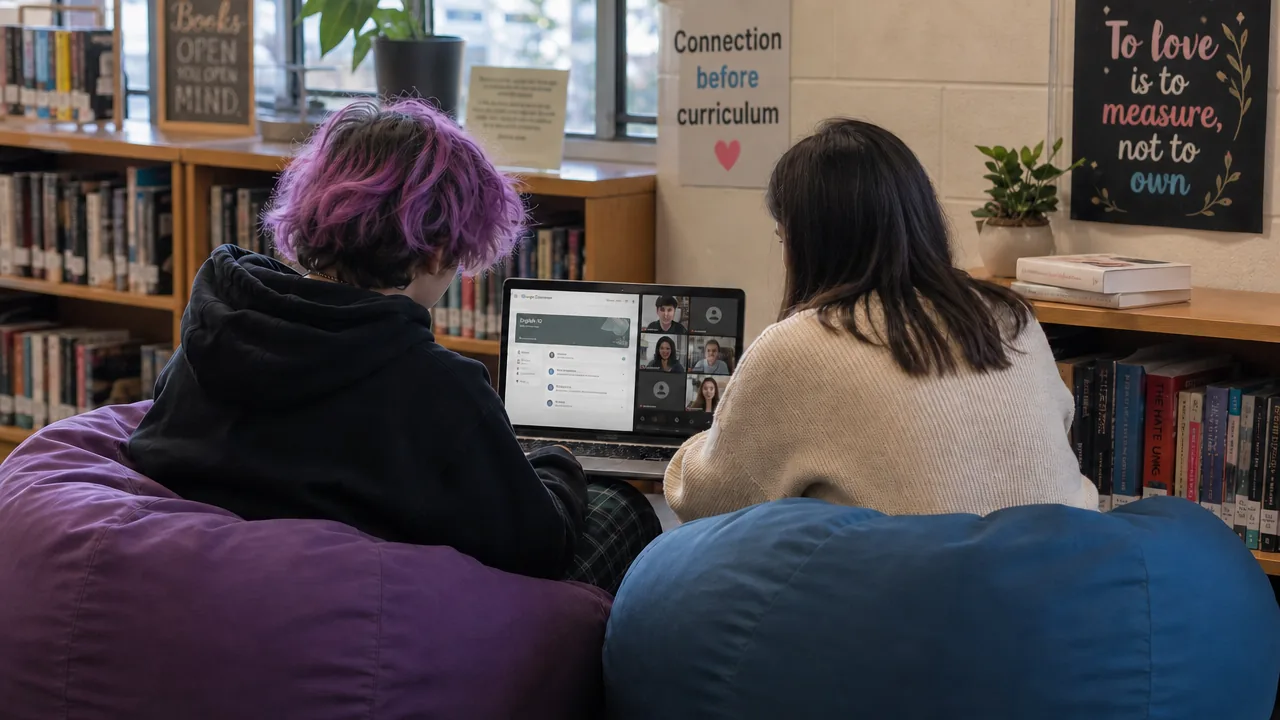
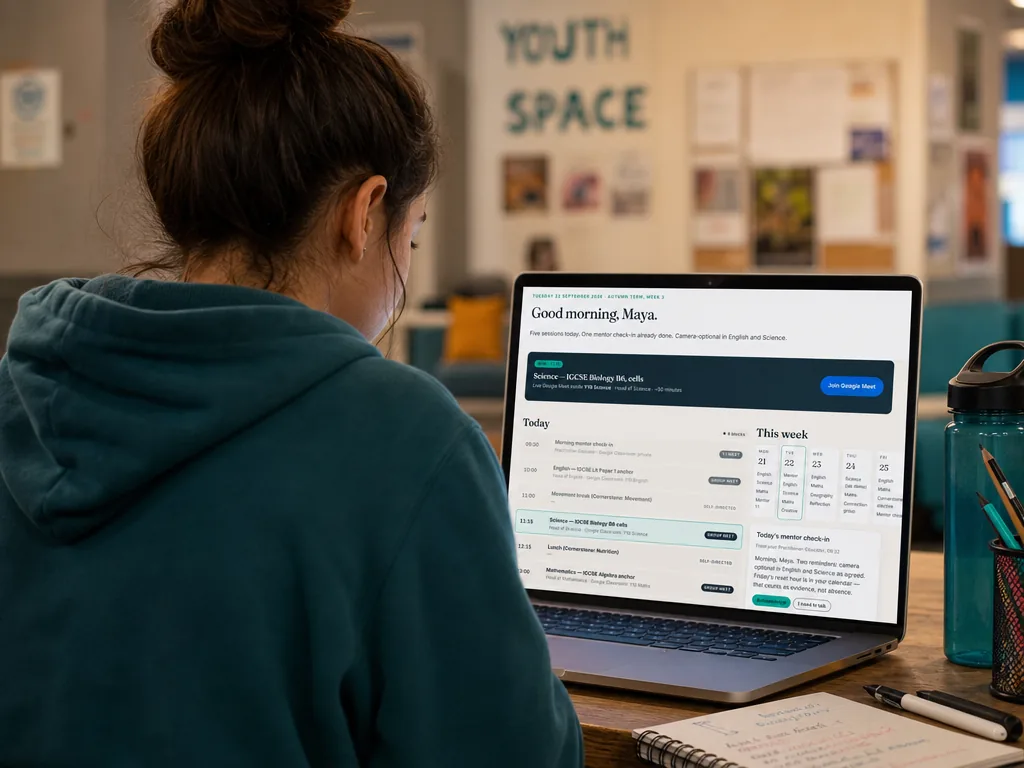
No. Every image of a young person on this website is AI-generated. We made that choice deliberately, and we want to be transparent about it.
We don't share photos of real NEO learners online — not for marketing, not for case studies, not for proud-progress posts. This is a safeguarding principle, not a brand choice: children's images, once on the public internet, are very hard to take back. We hold the same line for our staff, where the images you see are also AI-generated.
We've also tried to make the imagery itself more honest. The live-lesson image on the homepage shows a real-feeling moment — classmates appearing in the call in different ways, including a learner with a pet in view — rather than the older render where everyone was on camera and smiling. A real session might still go further: one learner with a duvet over their head, two on cameras-off, a practitioner asking gently whether everyone managed breakfast. That's what we're aiming for as our imagery keeps growing — but we wanted to start by being plain about how the images get made.
Progress & outcomes
Who sees what, when it comes to my child's progress?
Three views, one truth. Your child has their own dashboard — their sessions, their portfolio, their progress, and their voice in it. They can see what they've learned and how it links to what's coming next, and can export a personal knowledge file that becomes part of a sixth form personal statement or CV if they want it to.
Parents and carers see attendance, engagement, and session-level notes written in plain English after every session — no jargon, no six-week delay. Commissioners see the same facts, framed for their reporting needs: attendance, engagement, progress against personal targets, and the safeguarding log all in one place, exportable whenever needed.
The three views all draw on the same underlying record. Updated after every session, not filed away for termly reports.
How do you measure learner progress?
We track both academic outcomes and personal development. On the academic side, learners work towards Pearson Edexcel International GCSEs where appropriate. On the personal side, we evidence growth in confidence, communication, regulation and independence — because for many of our learners, those gains matter just as much.
Progress is measured against national expectations and, where applicable, individual EHCP goals. Our tracking platform gives commissioners and families real-time visibility, not just a termly snapshot.
What happens after Nudge Education Online — what about next steps?
Transition planning starts early, not at the end of a placement. Every learner has access to careers education and guidance on their options — whether that's sixth form, college, apprenticeships, or supported pathways.
We work with approved providers to ensure learners hear about every route available to them, with all sessions safeguarded and accessible. Your child's practitioner coordinates this alongside the commissioning LA.
What happens if a young person transitions back to mainstream school?
Some learners join Nudge Education Online for a term or two and then transition back into a mainstream setting — that's a successful outcome, not a lost one. To support those transitions, we keep our progress reporting in language that mainstream schools and commissioners can use directly: curriculum coverage by topic, assessment evidence, and a clear picture of what's been completed and what's still to come. The receiving school gets the information they need to pick up where we left off, without the young person being asked to retell their whole story.
For commissioners
Is Nudge Education Online procurement-ready?
Yes. We can be commissioned directly by Local Authorities or through existing regional frameworks. Nudge Education is already a trusted partner to Local Authorities across the UK, so in most areas NEO is added as an addendum to your existing Nudge Education framework agreement rather than a new procurement. A Local Authority can also spot-purchase a place. Our Terms of Business for commissioned placements are published.
How do we see progress?
Our tracking platform gives commissioners real-time visibility on attendance, engagement and progress. You get a weekly view — not a termly report three months after the fact.
How is safeguarding handled?
Nudge Education Online operates to KCSIE 2026 with a designated safeguarding lead, clear escalation routes, and consistent session notes logged in our tracking platform. Our full safeguarding and child protection policies are in the policies folder.
Can we commission a cohort or bundle with 1:1 intervention?
Yes. A Local Authority can commission Nudge Education one-to-one intervention and a NEO place for the same young person — they are separate commissions with separate agreements, and together they can make up a suitable full-time package. Often the simplest answer is our Intensive place: the NEO timetable plus a Nudge Practitioner-Mentor alongside the learner, a blend of online and face-to-face support, priced and safeguarded as one package. Talk to us about cohort or bundled arrangements.
Where we work
Nudge Education works with learners in local authorities right across the UK. The shaded areas on the map below show where we currently have arrangements in place — and we're always glad to talk to commissioners in areas not yet shaded.
Local authorities we currently work with
Map boundaries © Office for National Statistics (Open Government Licence v3.0). Needs an internet connection to load.
Cost & funding
How much does a place cost?
All prices below are before VAT:
- Discovery Phase — £370 per five-week phase
- Small-group place, 12 hours (Monday to Thursday) — £40 an hour, £480 a week
- Small-group place, 15 hours (adding Friday Cornerstones Day) — £30 an hour, £450 a week. The same annual price, spread over five days rather than four
- Intensive place — £22,000 a year
- Tuition — £70 an hour, one-to-one
- Curriculum Access — £250 a year
- Registration — £250 per learner per year (not charged for the Discovery Phase or Curriculum Access)
Places are billed monthly in advance over ten months, September to June — no July or August invoices. Full detail is in our Terms for parents and carers and Terms of Business for commissioners. If what you need doesn't fit — a single subject, a cohort, a bundle — talk to us →
What's included in tuition?
Tuition is one-to-one online lessons with a qualified subject specialist, in the afternoons, term time only: one subject (two hours a week) or two subjects (four hours a week). The learner stays on roll at their current school. Tuition doesn't include a Practitioner-Mentor or Friday Cornerstones Day. A place includes the live timetable, a named Practitioner-Mentor, pastoral support, attendance and progress reporting, and a NEO-managed Chromebook. Examination entry fees are separate for both.
How does the notice period work?
Fees are invoiced monthly in advance. Either side can end a place or Tuition on one calendar month's written notice — email is enough — and fees remain payable through the notice month. We keep notice deliberately short: we will never hold a young person in provision that is no longer right for them. Families paying directly also have a 14-day cooling-off period.
Is there support for commissioning multiple places?
Local Authorities commissioning five or more places benefit from dedicated account management and consolidated invoicing. Get in touch to discuss multi-placement arrangements.
Who typically pays?
Usually the Local Authority, through a commissioned placement or an existing AP framework, and some placements are funded by schools from their own AP budgets. Families can fund places themselves, and often fund the Discovery Phase as a way of showing a Local Authority that online learning works for their young person. Talk to us before you decide — price should never be the reason a young person doesn't get a conversation.
A lower-cost Curriculum Access route (£250 a year) is also available for learners already working with a Nudge Education practitioner — it provides asynchronous access to NEO's curriculum materials and Google Classroom without joining live online lessons. It isn't NEO enrolment. Talk to us if that sounds relevant.
Is there VAT on top?
Yes — VAT at 20% applies to every NEO fee, and that won't change with accreditation: since January 2025, education provided by independent and online schools for a fee is standard-rated. For a Local Authority the VAT is recoverable. Families paying directly pay the VAT-inclusive amount — for example, a £370 Discovery Phase is £444 including VAT — and we always quote the full figure before anything is signed.
Policies & compliance
Where can I read your policies?
Our full policy set is published at policies.nudgeeducation.online. It includes safeguarding and child protection, SEND, behaviour and regulation, online safety and acceptable use, data protection, equal opportunities, health and safety, complaints, and admissions.
How do you handle online safety?
Our online safety and acceptable use policy covers platform controls, digital wellbeing, reporting routes and parental oversight. Online there are no walls, only settings — so every classroom is configured before it opens: a second adult in every lesson, no private messaging between learners, controlled entry, and filtered, monitored NEO devices.
All imagery on this site is AI-generated. Read why →
Still have questions?
Come to an open session and bring them. Or email us and we'll reply within two working days.